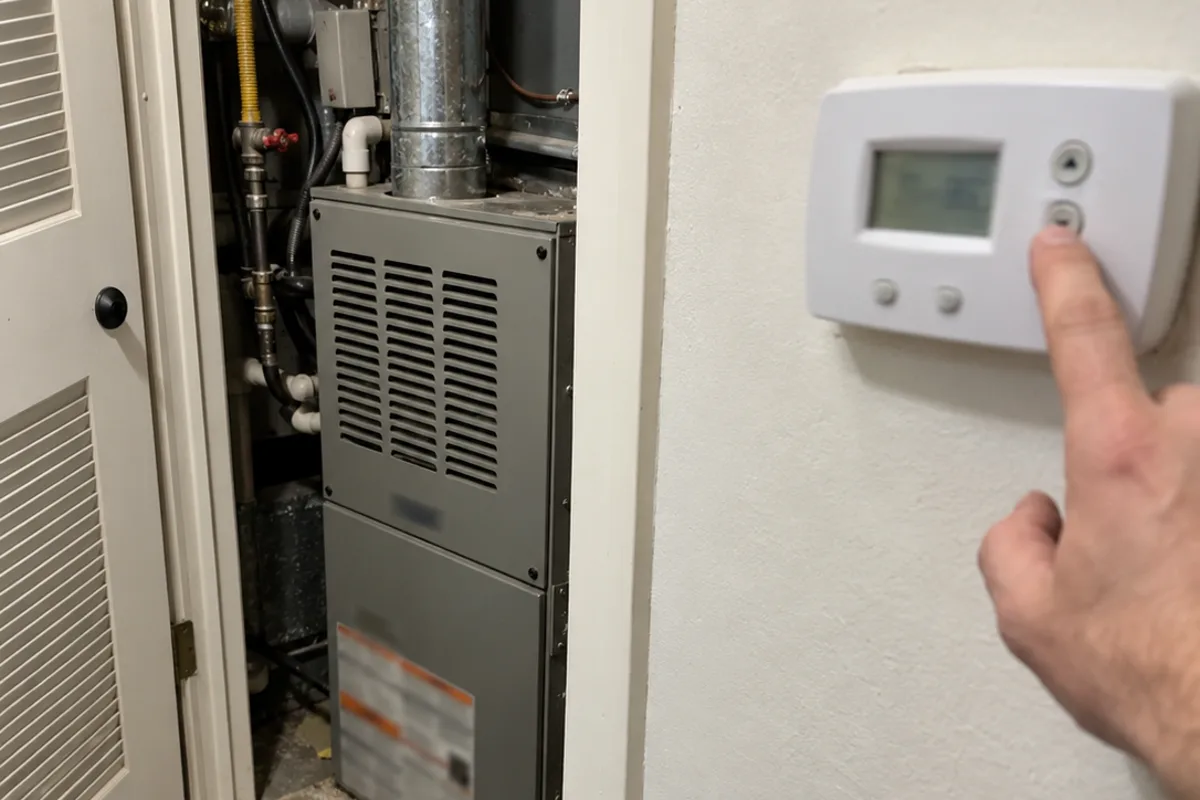
The first cold mornings bring clock and schedule calls
The clocks go back from 2:00 a.m. to 1:00 a.m. on Sunday, November 1, 2026. Hawaii and most of Arizona do not change clocks.
The following mornings are often the first properly cold ones. That creates a familiar cluster of calls: “The heat came on an hour late” or “It’s cold when we get up.” In many cases, the heating system is fine. The thermostat clock or programmed schedule is off by one hour.
Many dispatchers recognize the pattern. A caller reports no heat, the system runs when someone raises the setpoint, and the fix is a two-minute clock or schedule correction. That saves a truck roll and gets the homeowner warm sooner. It also keeps a simple phone fix from becoming the kind of missed no-heat call that costs a shop real money.
Three questions show whether the schedule is the problem
Ask these questions before treating the call as an equipment failure:
-
What time does the thermostat screen show?
-
Does that time match the wall clock?
-
What happens when you raise the setpoint or hold a manual call for heat?
The first two questions show whether the thermostat is reading the correct time. The third shows whether the system responds outside its programmed schedule.
If heat starts after the caller raises the setpoint or holds a manual call for heat, the equipment works and the schedule is the issue. The caller may be dealing with a thermostat that still thinks it is an hour earlier or later.
Write the answers into the call record. “Thermostat shows 6:00, wall clock shows 7:00, heat starts on manual call” gives the technician a useful picture before anyone drives to the house.
A Trane Home thermostat may need a reboot after 2:00 a.m.
Trane Home says the daylight saving time change is automatic on a Trane Home connected thermostat. The thermostat may not update right at 2:00 a.m., and the correct time can take a while to appear.
If it is after 2:00 a.m. local time and the time is still wrong, the homeowner should reboot the thermostat. Trane Home also says to confirm that the thermostat is online. The app may show a status such as “System Idle.” “Not Connected” means the thermostat lost its connection.
The home’s time zone should be checked in the portal. If the zone looks right, select another zone, save it, then select the correct zone again and save it. The thermostat can then be rebooted.
A thermostat registered with Trane Home cannot have its time set manually. Do not tell the caller to change the clock by hand on that setup.
For older or non-connected programmable models, the clock usually needs to be reset by hand according to the model manual. The schedule may also need to be checked after the time is corrected.
Heat on a manual call changes the dispatch decision
A schedule problem can make the home cold at the exact time the caller expects heat. The system may still be ready to run. That is why the manual call matters.
If the caller raises the setpoint and the heat starts, explain that the system responded. The thermostat schedule or clock needs correction. Give the caller the appropriate next step for the thermostat type, then tell them to watch the next scheduled heating period.
This is also a good time to separate thermostat questions from winter billing calls. A caller who is upset about a heating bill after the cold arrives needs a different conversation, and winter bill calls have their own three questions.
If the system does not run on a manual call for heat, the call is no longer just about the clock. It needs normal no-heat triage and may need a visit.
Gas smell or a CO alarm requires emergency handling
A gas smell or carbon monoxide alarm is not a thermostat schedule problem. Treat either one as a real emergency.
A true no-heat call also needs emergency handling under your shop’s dispatch process when the equipment will not run on a manual call for heat. Do not leave that caller working through time-zone settings while the house remains without heat.
Keep the emergency questions and instructions in the same place your team uses for other urgent calls. A CO alarm call script can support that process, and setting the diagnostic fee on the phone, not at the door covers the next step when a technician is needed.
A dispatcher can keep a two-minute fix off the road
The goal is not to dismiss the call. It is to identify the difference between a thermostat schedule issue and a failed heating system before assigning a truck.
Your phone team should record the thermostat time, the wall clock time, and the result of the manual call for heat. If the caller needs a visit, book it on the shop calendar and give the technician those details. The same record helps when a first cold week fills the board, as covered in van stock for the first cold week, and when customers reschedule or no-show.
Dial 72 answers 24/7, asks these triage questions, and texts the owner a call summary. The summary includes what the caller said the thermostat screen shows and whether a manual call for heat works. True no-heat calls, gas smell mentions, and CO alarm mentions are escalated as emergencies. Calls can be answered in English or Spanish. If a visit is needed, Dial 72 can book it on the shop calendar.
Ask about the clock, compare it with the wall clock, test a manual call for heat, and dispatch only when the answers show a real heating problem.